Autoscaling a Kafka consumer to zero with KEDA
Kubernetes’ built-in autoscaler (the HPA) scales on CPU and memory. That’s the wrong signal for a queue worker: a Kafka consumer that’s behind by ten thousand messages might be sitting at 5% CPU, blocked on I/O. What you actually want to scale on is the backlog — the consumer-group lag.
KEDA (Kubernetes Event-Driven Autoscaling) does exactly that. It’s an operator that reads an external metric — Kafka lag, queue depth, Postgres row counts, cron, dozens of others — and drives a Deployment’s replica count from that, including all the way down to zero. This post is a small end-to-end example: a notification pipeline whose consumer scales on Kafka lag and idles at zero pods.
Example repo: zachbroad/keda-kafka-autoscaling
The pipeline
Producer (Flask UI) ──▶ Kafka topic "notification" ──▶ Consumer (Go) ──▶ Notification Service (Flask) ──▶ Postgres │ │ consumer-group lag ▼ KEDA ScaledObject ──▶ scales the consumer Deployment 0..10Three small apps:
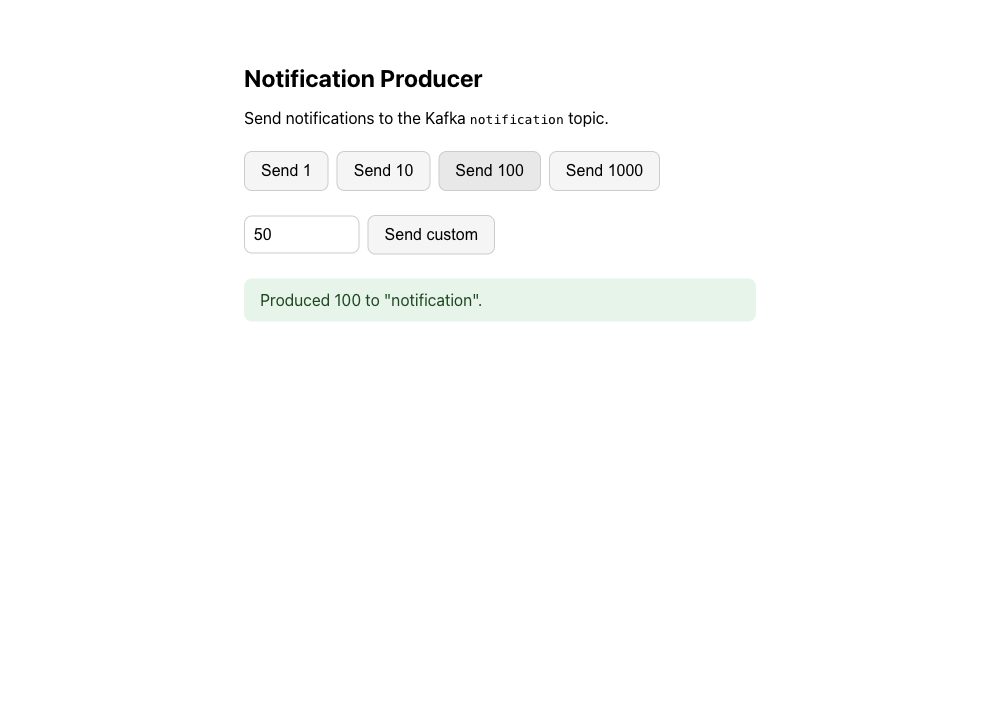
- Producer — a Flask page that publishes 1–1000 messages to the
notificationtopic. - Consumer — a Go program that reads the topic and POSTs each message to the notification service. This is the thing KEDA scales.
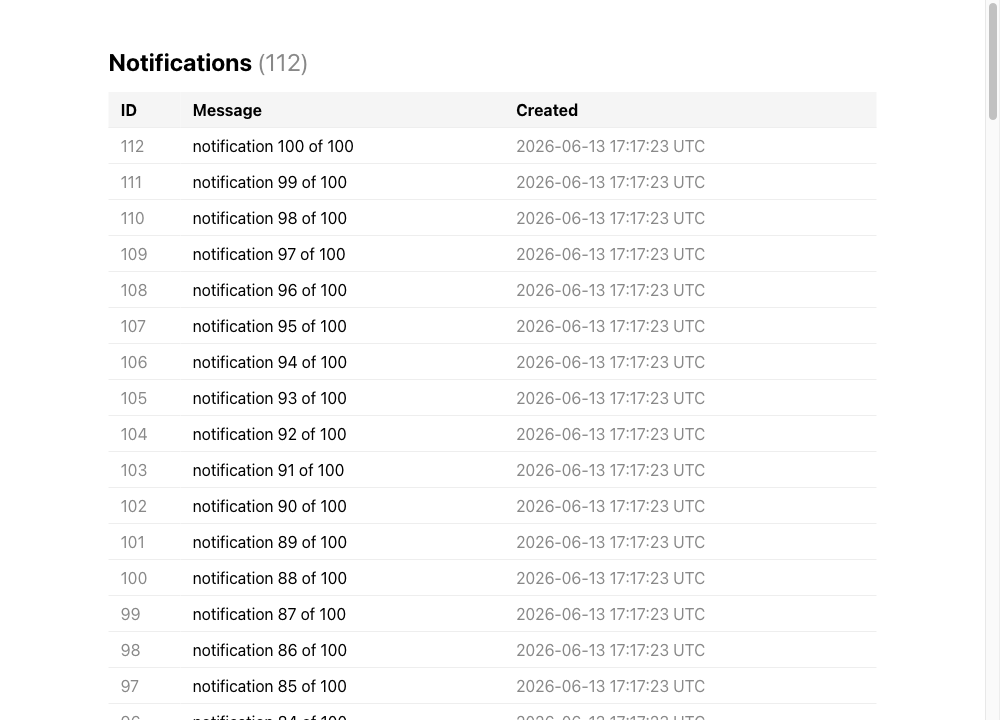
- Notification service — a Flask app that stores what it receives in Postgres and lists it.
The producer is how you create load:
The notification service shows what made it through the pipeline:
Why lag, not CPU
A consumer group’s lag is the gap between the latest offset produced and the latest offset the group has committed — literally “how many messages are waiting.” It’s the honest measure of whether you’re keeping up, and it’s independent of how busy any single pod looks. Kafbat’s Kafka UI shows it per group:
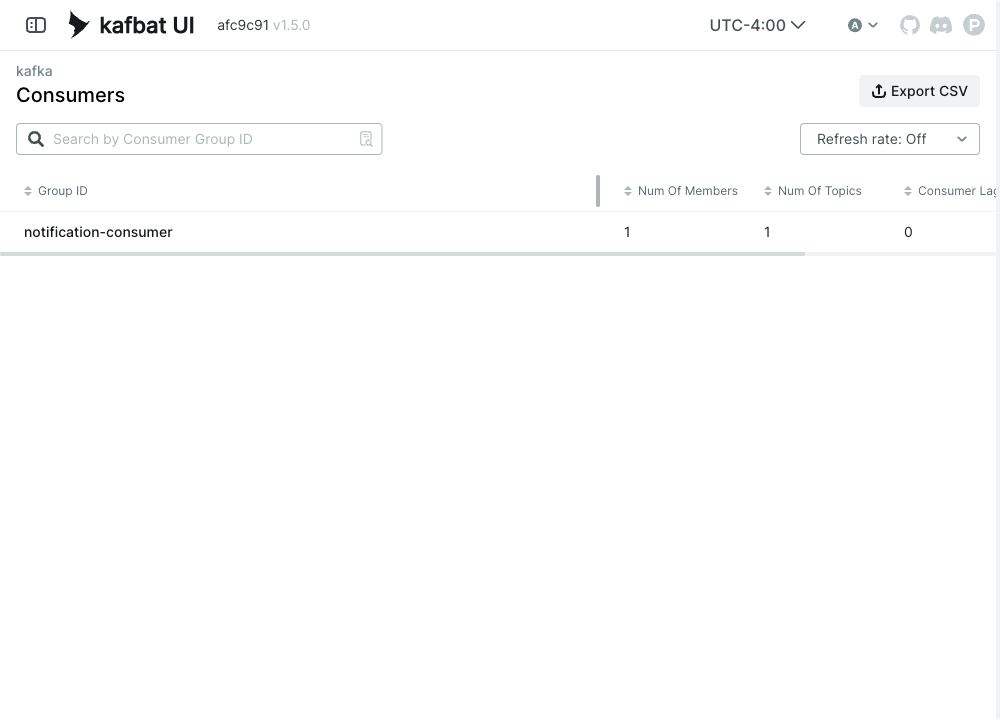
KEDA polls that number and turns it into a replica count. More backlog → more consumers, up to a ceiling; backlog cleared → scale back down; idle → zero.
The ScaledObject
The whole behavior is one Kubernetes object. You point it at the Deployment to scale (scaleTargetRef) and give it a trigger:
apiVersion: keda.sh/v1alpha1kind: ScaledObjectmetadata: name: notification-consumerspec: scaleTargetRef: name: notification-consumer minReplicaCount: 0 # scale to zero when idle maxReplicaCount: 10 triggers: - type: kafka metadata: bootstrapServers: kafka:9092 consumerGroup: notification-consumer topic: notification lagThreshold: "5" # target ~5 lagging messages per replica offsetResetPolicy: latestlagThreshold is the target lag per replica. KEDA’s math is roughly desiredReplicas = ceil(totalLag / lagThreshold), capped at maxReplicaCount. With a threshold of 5 and a burst that leaves 1000 messages of lag, KEDA wants ceil(1000/5) = 200 but clamps to 10 — so it pins the consumer at the max until the backlog drains.
Behind the scenes KEDA creates and manages a regular HPA for the non-zero range, and handles the 0↔1 transition itself (the HPA can’t scale to or from zero). Two details make the demo work cleanly:
- The consumer Deployment omits its own
replicaswhen KEDA is enabled, so it doesn’t fight the ScaledObject over the count. minReplicaCount: 0means that with an empty topic there are no consumer pods running at all — the pipeline costs nothing when there’s nothing to do.
Watching it scale
Install KEDA and the charts on minikube (make keda && make load && make install-all), then watch the consumer pods and what KEDA sees:
kubectl get pods -l app.kubernetes.io/component=consumer -wkubectl get scaledobjectHit Send 1000 on the producer, and the consumer goes from zero to its ceiling, drains the backlog, then a few minutes later (KEDA’s cooldown) scales back to zero.
What it costs
KEDA is a light dependency as these things go — one operator, and ScaledObjects are just CRDs alongside your Deployments — but it isn’t free:
- It’s another controller in the cluster, plus a metrics-adapter pod. One more thing to upgrade and watch.
- Scale-to-zero means cold starts. The first message after an idle period waits for a pod to schedule, pull, and join the consumer group before anything is processed. Fine for background notifications; think hard about it for latency-sensitive work.
- The trigger needs credentials and network to the source. Here Kafka is in-cluster and unauthenticated; in production the Kafka trigger needs a
TriggerAuthenticationwith SASL/TLS, which is its own bit of setup. - Thresholds are a tuning problem. Too low and you thrash pods on every trickle of traffic; too high and you stay behind.
lagThresholdis a real knob you have to set against actual traffic.
The payoff is that the thing doing the work scales on the size of the work, and disappears when there’s none — which is exactly what a queue consumer should do, and exactly what CPU-based autoscaling can’t express.