pgsync in under 10 minutes
pgsync streams Postgres changes into Elasticsearch from a single configuration file
This walks through a minimal example: a bookstore API where CRUD goes through Postgres and search is served from Elasticsearch.
Example repo: zachbroad/pgsync-elasticsearch-bookstore
pgsync TL;DR
pgsync tails Postgres’s logical replication stream and keeps an Elasticsearch index in sync. You write to Postgres; pgsync propagates the changes.
- Configure
schema.json - Run
bootstrapto set up the Elasticsearch index and perform initial data load - Start the pgsync daemon
- That’s it!
Project Overview
- A simple bookstore API written in Python (FastAPI + SQLAlchemy)
- A search page that lets you experiment with different Elasticsearch query modes, plus an admin UI for CRUD
Get started
git clone https://github.com/zachbroad/pgsync-elasticsearch-bookstorecd pgsync-elasticsearch-bookstoredocker compose up --buildThe architecture
FastAPI ──writes──▶ Postgres ──logical replication──▶ pgsync ──▶ Elasticsearch └────────────────────── /search reads ◀────────────────────────────┘Two important things to call out:
- Postgres is the only thing you write to. pgsync picks up every INSERT, UPDATE, and DELETE.
- Logical replication requires
wal_level=logicalin Postgres. In the compose file, that’s one flag:
postgres: image: postgres:17.10 command: ["postgres", "-c", "wal_level=logical"]The schema mapping
pgsync’s entire job is described in a single schema.json. Here’s the one for this project:
[ { "database": "bookstore", "index": "books", "nodes": { "table": "books", "schema": "public", "columns": ["title", "isbn", "price", "status", "published_at"], "children": [ { "table": "authors", "schema": "public", "columns": ["name", "bio"], "label": "authors", "relationship": { "variant": "object", "type": "one_to_many", "through_tables": ["book_authors"] } } ] } }]This maps the books table to a books Elasticsearch index. The children block embeds the related authors as nested objects inside each book document, joined through the book_authors junction table.
The result is that a search hit looks like this — everything you need, no second query:
{ "title": "Neuromancer", "isbn": "978-0441569595", "status": "published", "authors": [{ "name": "William Gibson", "bio": "Coined the term 'cyberspace'." }]}See the pgsync schema docs for the full list of relationship types and options.
Bootstrap and sync
pgsync has two steps: bootstrap creates the Elasticsearch index and does the initial load, then pgsync --daemon tails the replication stream. You don’t need a custom image for either — the official toluaina1/pgsync image runs both. The only wrinkle is a timing problem — pgsync needs the tables to exist, but the API creates them on startup — so the compose command retries bootstrap until it succeeds:
pgsync: image: toluaina1/pgsync:latest entrypoint: ["/bin/sh", "-c"] volumes: - ./schema.json:/app/schema.json:ro environment: # the image runs as non-root and can't write its checkpoint to /app CHECKPOINT_PATH: /tmp command: - | until bootstrap --config /app/schema.json; do echo "bootstrap failed (tables may not exist yet), retrying in 3s..." sleep 3 done exec pgsync --config /app/schema.json --daemonThe one gotcha worth flagging: the official image runs as a non-root user and can’t write its checkpoint file to the working directory (/app), so point it somewhere writable with CHECKPOINT_PATH: /tmp.
The search endpoint
The /search endpoint (api/app/routers/search.py) talks directly to Elasticsearch. A multi-match query with fuzzy matching covers title, author name, and ISBN:
query = { "query": { "multi_match": { "query": q, "fields": ["title^2", "authors.name", "isbn"], "fuzziness": "AUTO", } }}title^2 boosts title matches over author and ISBN matches.
The home page at localhost:8001 wraps this in a little playground — a dropdown that swaps between query modes (fuzzy, phrase, prefix, wildcard, regexp, range, …) and shows the exact Elasticsearch query it sends, so you can see how each one behaves against the same data.
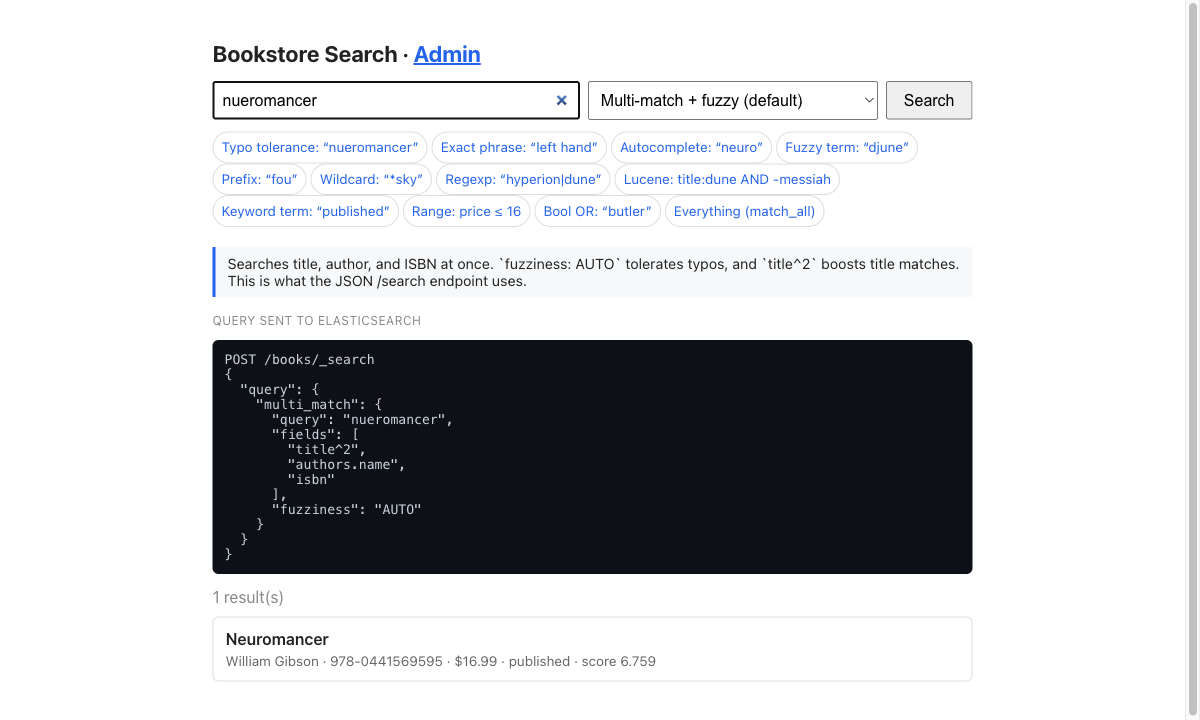
Here a typo’d nueromancer still finds Neuromancer thanks to fuzziness: AUTO, and the query panel shows exactly what gets sent to Elasticsearch.
Running it
docker compose up --buildOnce everything is up, the API seeds 25 published books. Try searching:
curl 'localhost:8001/search?q=neuromancer'Create a new book and watch it appear in search a moment later:
curl -X POST localhost:8001/authors -H 'content-type: application/json' \  -d '{"name": "Octavia E. Butler"}'
curl -X POST localhost:8001/books -H 'content-type: application/json' \  -d '{"title": "Kindred", "isbn": "978-0807083697", "price": "15.99", "author_ids": [3]}'
curl -X POST localhost:8001/books/3/publish
# wait a second, then:curl 'localhost:8001/search?q=kindred'
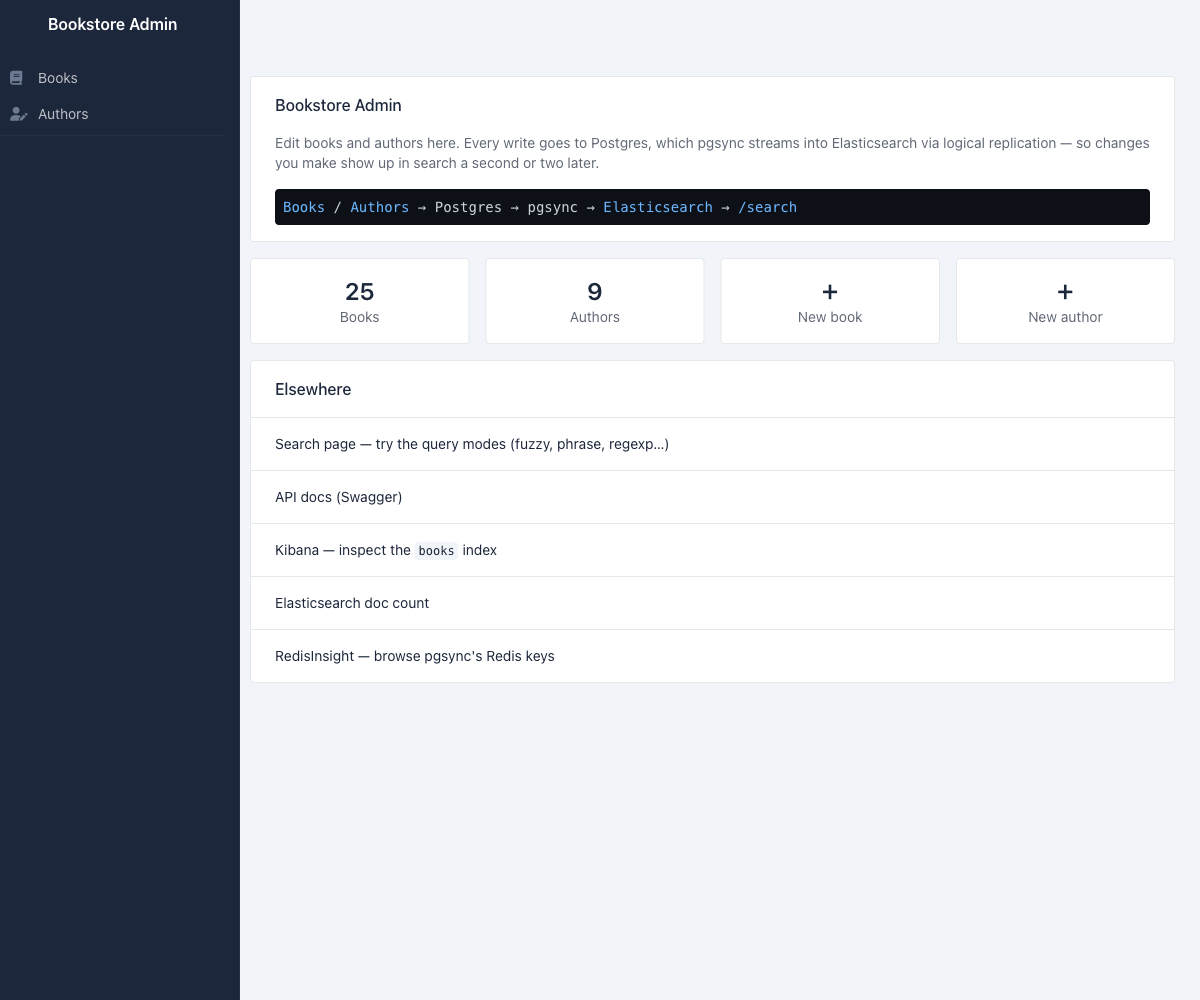
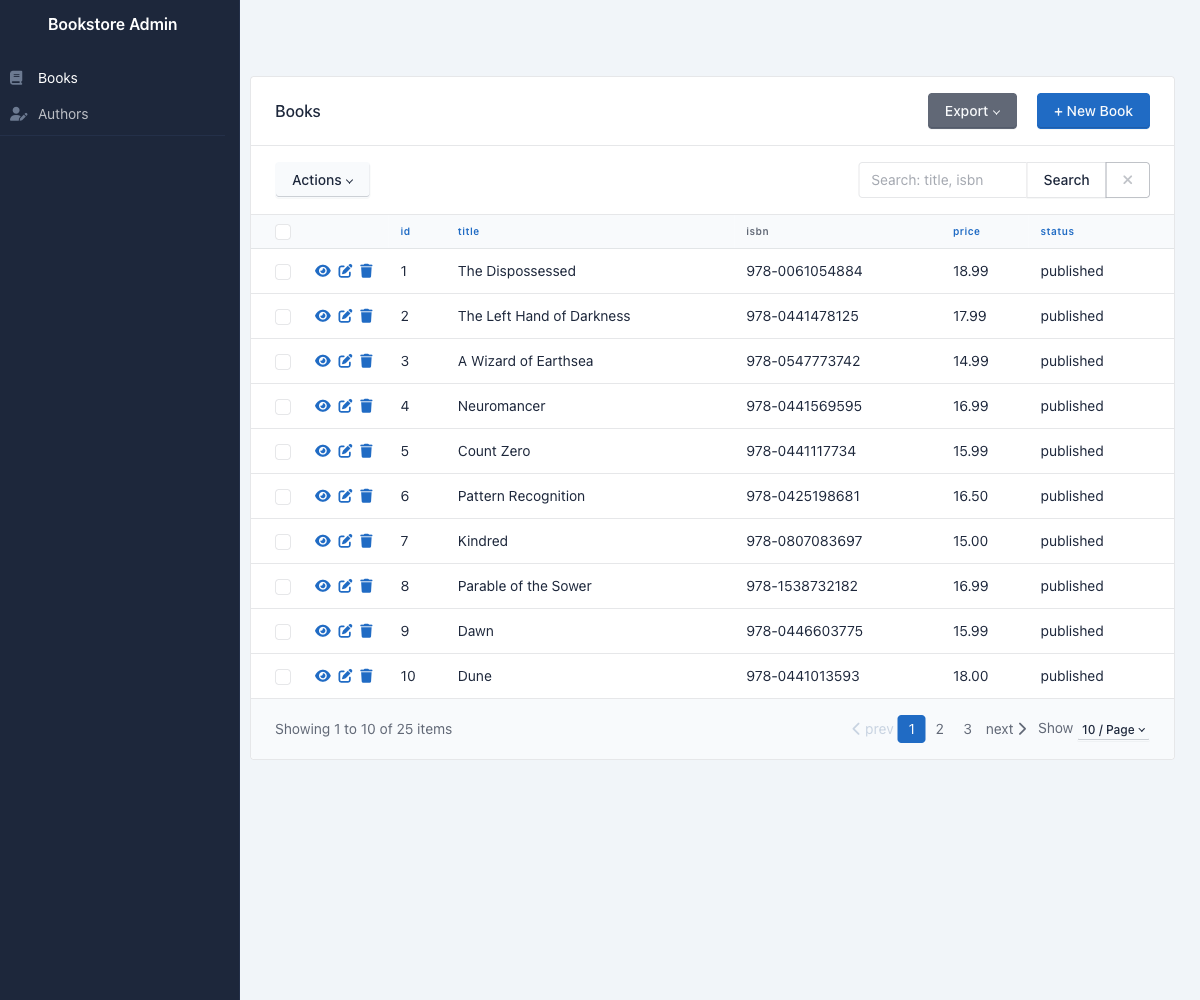
Kibana is available at localhost:5602 if you want to browse the index directly. There’s also a small admin UI at localhost:8001/admin (SQLAdmin) for CRUD on books and authors — writes there flow through Postgres and into search like any other change — and RedisInsight at localhost:5541 for poking at pgsync’s Redis keys.
What pgsync handles for you
- Initial index population via
bootstrap - Ongoing replication via Postgres logical replication (no polling)
- Joined/nested documents from related tables
- Redis as a checkpoint store so the daemon can resume after a restart
The only thing you manage is schema.json. Everything else — WAL decoding, index mapping, retries — is handled by pgsync.